JACKZER

A JACKZER Guide

Triple screens vs
single screens.

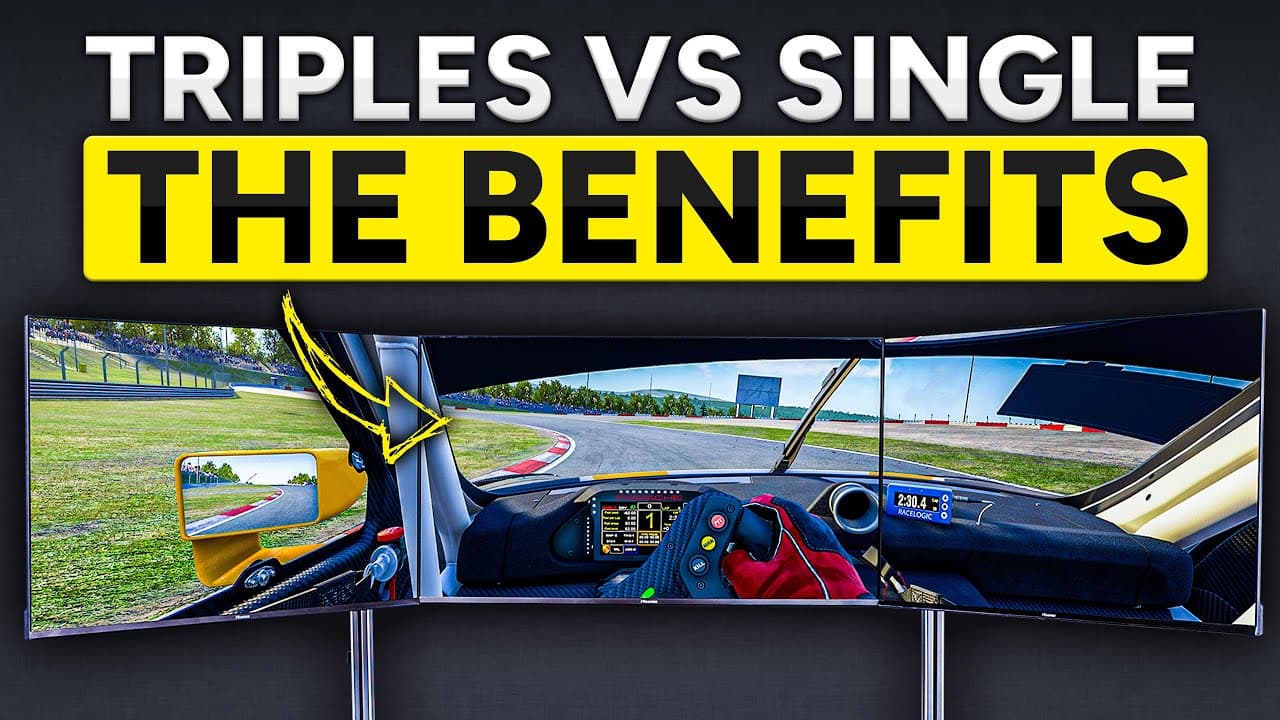
It's rare you hear a sim racer say they went from triples back to a single screen, unless it's for content reasons. I made the jump and never imagined going back. Here's the honest case for triples in five points, with iRacing examples, and the single-screen hack that closes most of the gap.

8 min readHardwareWorks on singles too

Start here

Triples connect you to the sim
in a way I didn't expect.

Up front. Triple screens are expensive, they take up a lot of space, and they aren't for everyone. Ultrawides, big 34 inch panels and VR are all valid. For me though, the way triples wrap around you, even more than the biggest ultrawides do, keeps pulling me back.

I tried other things and keep coming back to the good old triples. Trust me when I say you can still have an unbelievable amount of fun on a single screen, especially with the tip I'll share toward the end. Don't read this and feel you're missing out. You're not. The tip closes most of the gap.

Five honest advantages, each with an iRacing example so it isn't just vibes.

Brownie-point legend

  • Performance

    Does it actually make you faster, or just feel faster?

  • Immersion

    Does it make the sim feel more like a car you're in?

  • Flow factor

    Does it lower the cognitive load while you're driving?

  • Stay alive

    Does it help you avoid wrecks and survive race starts?

The five points

What triples actually do for you.

Each point gets a brownie-point score for performance, immersion, flow factor, and keeping your ass alive. The four things I measure any piece of sim gear against. The video has it all in one go, this is the chapter index.

  1. 01

    Spatial awareness, the real kind

    Spatial awareness on triples isn't just knowing a car is beside you. It's reading its speed, its direction, whether you're actually clearing it. That extra layer is where wheel to wheel racing changes.

    Quick iRacing example. When you pull fully alongside someone on a long straight, Mulsanne or the Doninger kink, the air between both cars compresses. It disrupts and partially stalls the aero on the side facing the other car. The moment you edge ahead, their turbulent air hits the back of your car and starts pulling you back. It's a kind of mutual aerodynamic mess, easy to mistake for side-drafting if you don't know what's happening.

    Being able to see that little dance play out in your peripheral vision, and time your move to come out of it on the right side, is just a cool thing to do.

    What this looks like on triples

    Wide field of view on the front, plus a wide virtual mirror, gets you somewhere close to a full 360 degree read of what's going on around you. There's still a small blind spot. That's what point five is for.

    PerformanceImmersionFlow factorStay alive
  2. 02

    A proper sense of speed

    When you set a realistic FOV for the way you sit in your rig, you lose some sense of speed on a single screen. It just happens. With triples you can open the FOV up, because the side screens are physically off to your sides, so the track flies past in your peripheral vision.

    It's the highway feeling. Look out the windscreen of a car at speed and the world seems to come at you slowly. Look out the side window and everything is whipping by. Triples give you both. No real performance benefit, just genuinely immersive. The first time you try triples, this is the thing you'll notice instantly.

    PerformanceImmersionFlow factorStay alive
  3. 03

    You can see where the apex actually is

    On a single screen with a realistic FOV, tight hairpin apexes can sit completely out of frame. You have to imagine where the apex is and trust your muscle memory. On triples with the FOV set even halfway sensibly, the corner is still in vision on the side screen.

    Hockenheim's hairpin is the classic. You commit to a late apex and the corner has fully disappeared off the bottom of a single screen by turn-in. With triples you can still see it. You set the car's trajectory before you need to, instead of guessing and correcting mid-entry.

    The flow factor

    This is what I mean by flow factor. Triples take a tiny bit of pre-corner cognitive load off your back, because you don't have to imagine the corner. You're just reacting to what you can see.

    PerformanceImmersionFlow factorStay alive
  4. 03.5

    Not really a point, but

    They just look damn cool.

    If you've the space and you do some half-decent cable management, triples are simply the look. That's it. That's the whole point. Not measurable, not performance-relevant, just true.

  5. 04

    You see crashes way sooner

    Two scenarios that happen regularly.

    Wet Monza turn one.Someone goes up your inside, catches a painted line, and the car kinks. On a single screen they'd still look alongside you. Your spotter says you're clear on the right. Reality, they're not making the corner and you need to back off and let them glide by. On triples you see the front of their car starting to slide early enough to react.

    Long sweeping corners.A pileup further around the bend is in your side view well before it's on your main screen. You've already started planning a route around it while the field behind you is still going in blind.

    And the one I personally love. Looking out the window when you rejoin. I never realised I was doing it because it just felt normal. People in my Twitch chat pointed out, “Did bro just look out the window to rejoin?” Yes, bro did. Quick glance over the right shoulder on the side screen, see if anything's coming, pop back out. Same role as your relative, more natural, and you rejoin with a lot more confidence.

    PerformanceImmersionFlow factorStay alive
  6. 05

    The cherry on top, blind-spot indicators

    Not really an advantage of triples. It's the cherry I put on top of them, and it works arguably just as well, if not better, on a single screen.

    No audio spotter is as good as visual information. Verbal spotters are fun and plenty swear by them, but voice has a delay and you still need to process what you hear. Speed of sound is fast, but we need a spotter at the speed of light.

    Triples plus a wide virtual mirror gets you most of the way there. There's still a small blind spot between the main screen and the mirror. The fix is a blind-spot indicator overlay. I use the ones in RaceLab. Within a week I'd stopped turning Crew Chief on. I just didn't need it anymore.

    How they work

    Small coloured dots on the outer edges of your main monitor. When the dot is on, there's a car there. When it's off, you're clear. That simple. In three-wide situations they completely crush an audio spotter, because your eyes never have to leave the apex.

    Back when I was on a single 43 inch TV, these indicators let me race unbelievably close to people and know exactly when I could close the door without risking contact. Turn them on. Learn to trust them. In my experience they don't lie.

    PerformanceImmersionFlow factorStay alive

Single-screen players, this is for you

You're not missing out as much as you think.

Most of the advantages above come down to one thing, knowing where the other cars are at all times. Triples hand it to you geometrically. On a single screen you get it from an overlay instead. The performance gap is smaller than people will tell you.

Still yours

What you keep, even on one screen

  • All of your raw pace. None of this changes lap time on its own.
  • A wide virtual mirror, which is almost free to add.
  • Race-engineer style overlays from tools like RaceLab.
  • Confidence in three-wide situations once you trust the dots.

Genuinely lost

What you actually lose

  • The sense of speed in your peripheral vision.
  • Seeing the apex of really tight corners pre-turn-in.
  • The instinct of looking out the side window on rejoin.
  • The plain old cool factor of a wrap-around setup.

Blind-spot indicators, single-screen layout

Virtual mirror
Car on your left
Clear right
Eyes on the apex

When the dot is on, there's a car there. When it's off, you're clear. Your eyes never have to leave the apex, which is why this works as well on a single screen as it does on triples.

A note on whether to actually buy them

This is the case for triples.
Not the bill for triples.

Five advantages doesn't mean you should buy them tomorrow. Triples are physically big, they put real pressure on your PC, and the cost is roughly three monitors plus the arms and the cables. There's a separate honest guide on the realities of owning them.

And if you've already decided yes, the next question is 1080p or 1440p. That one has its own guide too.

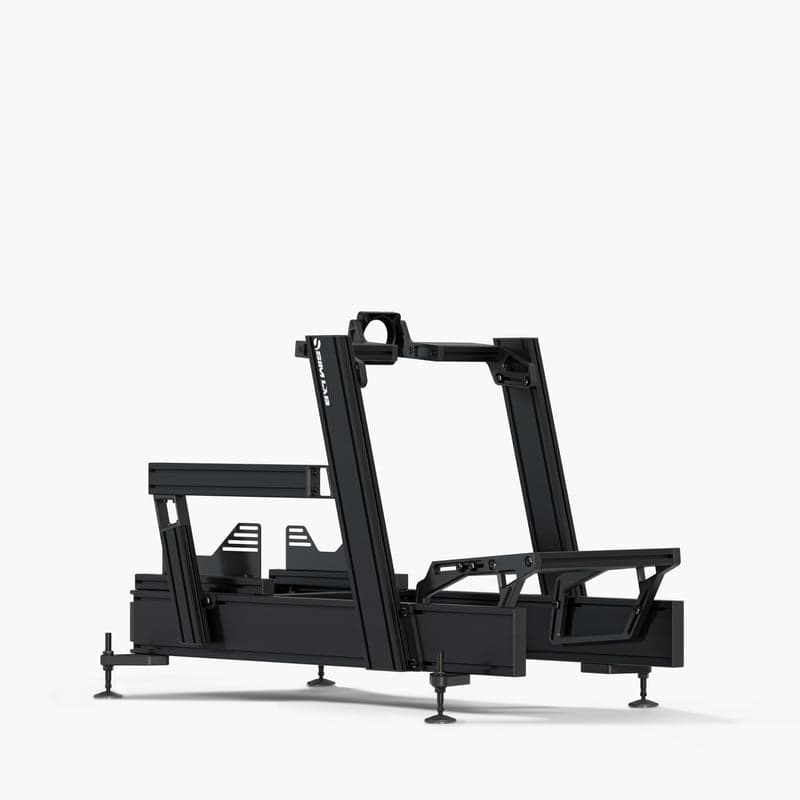
The Sim-Lab P1X Pro cockpit JACKZER races on, with triple monitors

My current rig, Sim-Lab P1X Pro

Keep going

Related guides, gear and the video version.

Everything below is something I personally use or have written. Affiliate links are marked the same way they are everywhere else on the site.

Gear that matters here

RaceLab logo

RaceLab

Race-engineer-grade overlays, leaderboards and live timing across iRacing, ACC, LMU and more.

VisitDirect Buy
Sim-Lab logo

Sim-Lab

From the GT1 EVO to motion-ready P1-X frames, Sim-Lab kit handles whatever a direct-drive base throws at it.

SIMAGIC logo

SIMAGIC

The full SIMAGIC bundle deal. Direct-drive base, wheel and pedals at the lowest price of the year.

GLOBALDirect Buy

Watch the video version

All videos on YouTube

Triple Screens vs Single Screens

The original video this guide was built from.

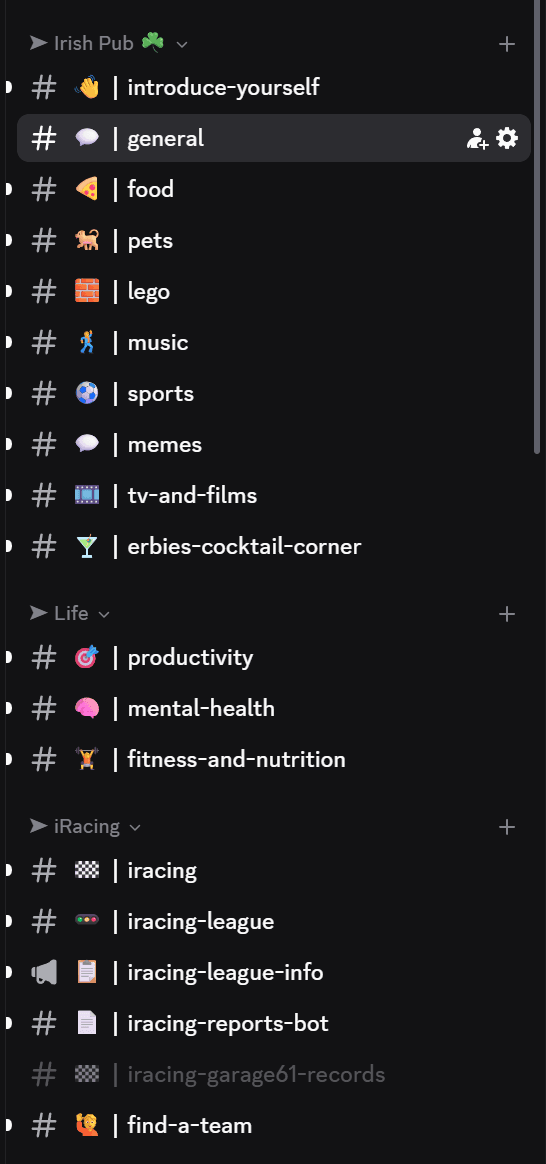
Join our Irish Pub Community Discord with over 3.4K members.

The Irish Pub would love to have you, we've league races on Thursdays and the craic is mighty. Can't wait to see you there.

A peek at the JACKZER Discord channel list
JACKZER showing the SIMAGIC Zeus to a young racer

Channel partners