Motion on my rig.
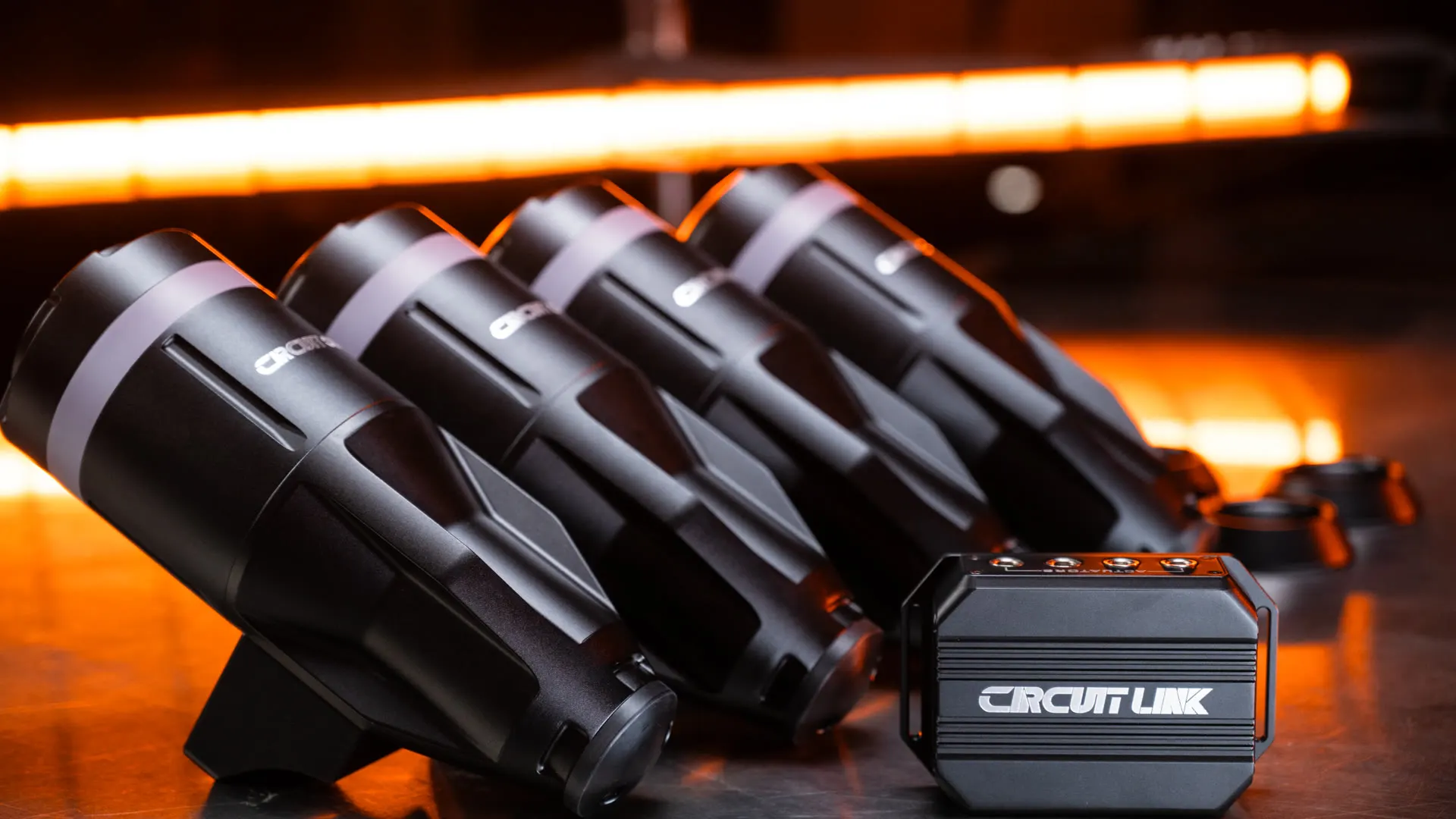
Circuit One D Force 1.
Circuit One sent me the D Force 1 on loan, free of charge, to test, feed back on and share my thoughts. It's the first motion system I've ever had on my own rig, and I went in expecting to want it off within a week. I don't. These are my first impressions, the published specs, and a code that takes 5% off the DF1 at Simshop. The longer-term verdict comes once I've lived with it.
First impressions
Can motion help you go faster, or at least not slow you down?
That's the question I wanted answered for myself. All my pleasure in simracing comes from competing and getting the most out of myself, so anything that holds me back isn't staying on the rig. A few days in, here is where I am.
Why short travel caught my eye
Anyone who has met me at an expo or in the Discord knows my complaint about motion. The systems with a lot of travel feel delayed. You turn in, the rig moves, and your body is told something happened that needs correcting. So you correct it, then the rig catches up, and now you're fighting the car through the corner. You're not saving the car, you're saving what you think is happening, and upsetting the car in the process.
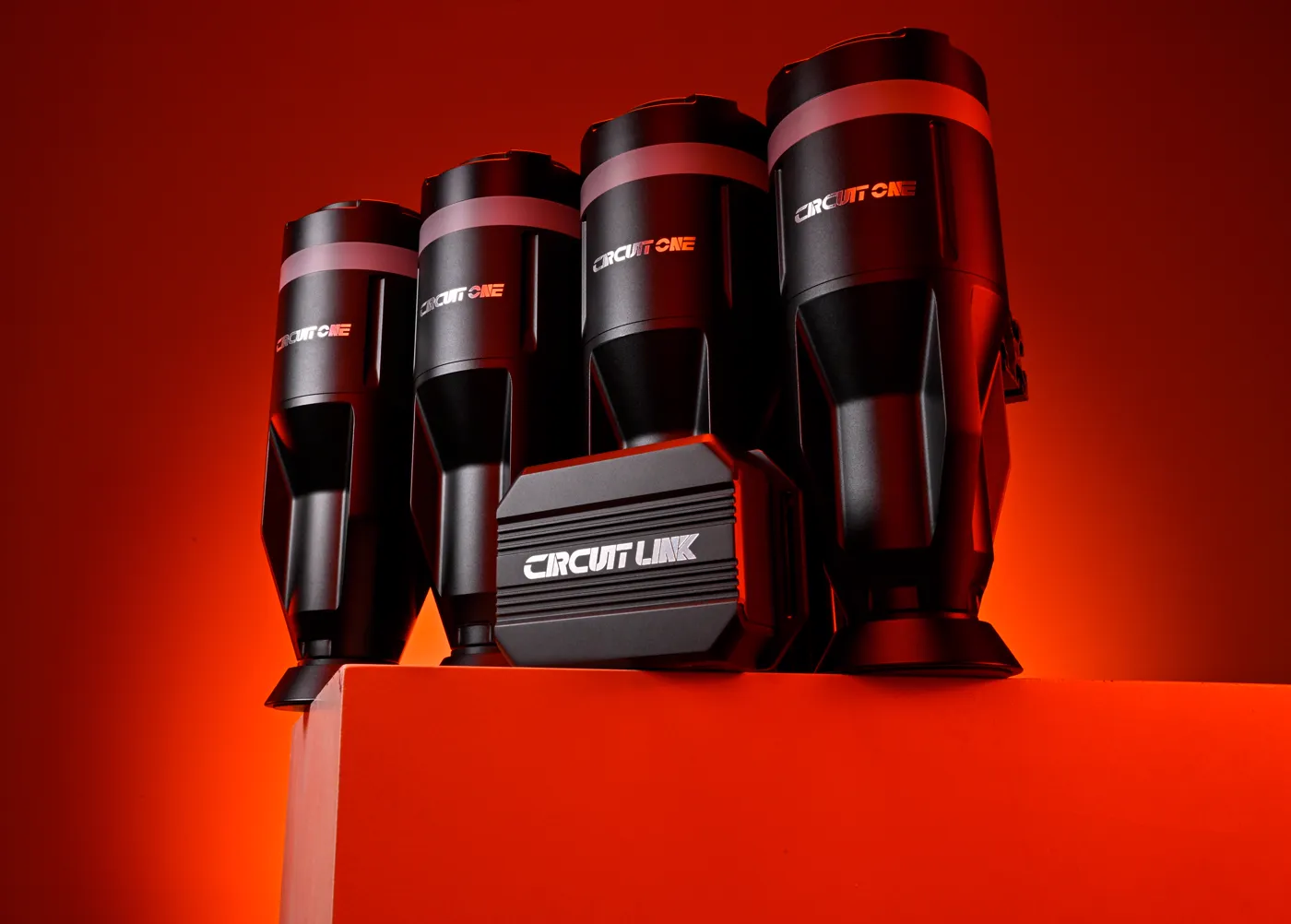
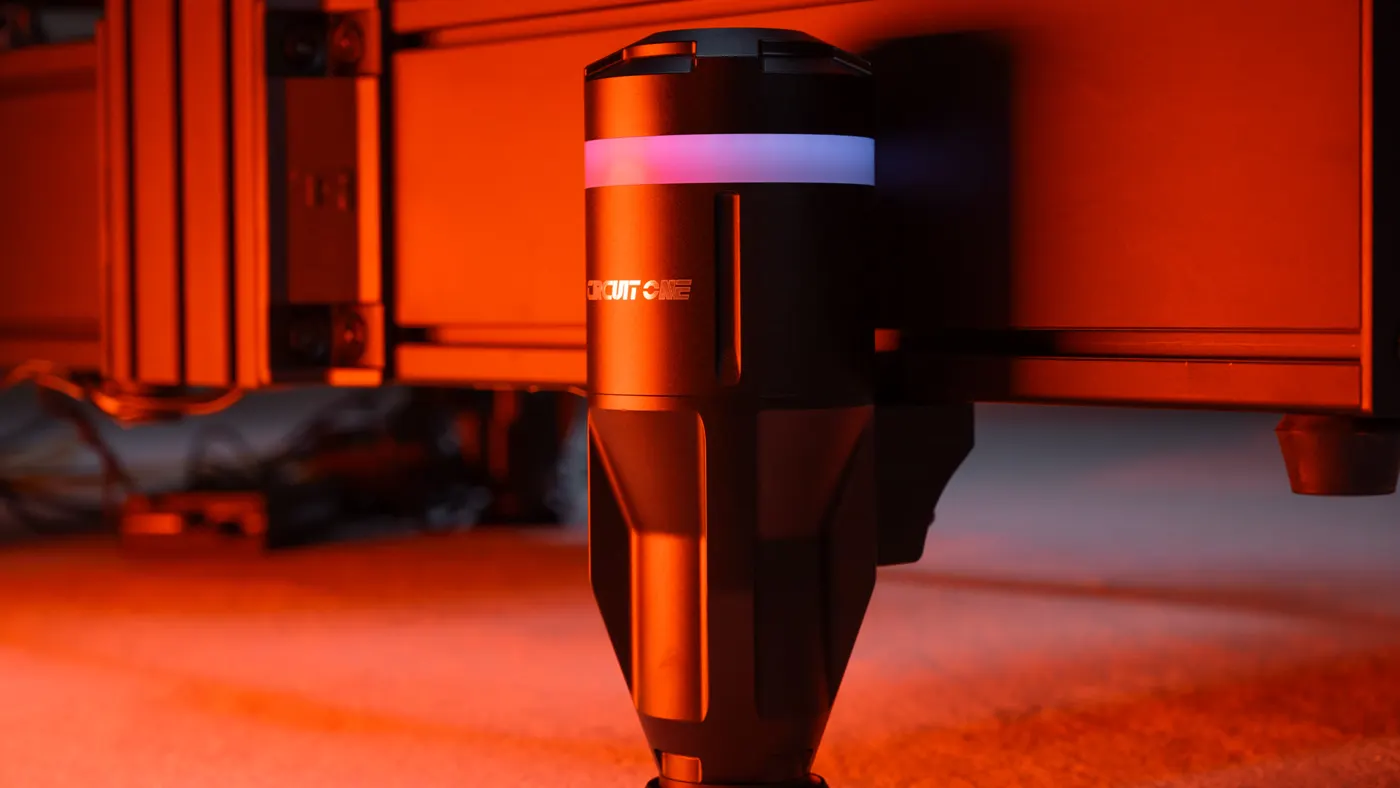
The D Force 1 goes the other way. Each actuator has 50 mm of travel and lifts 180 kg, and there are four of them under the rig. I'm a big lad in a heavy rig, so I was curious how that would hold up. Less travel, less mass to move, less delay. That was the theory I wanted to test.
Out of the box and onto the rig
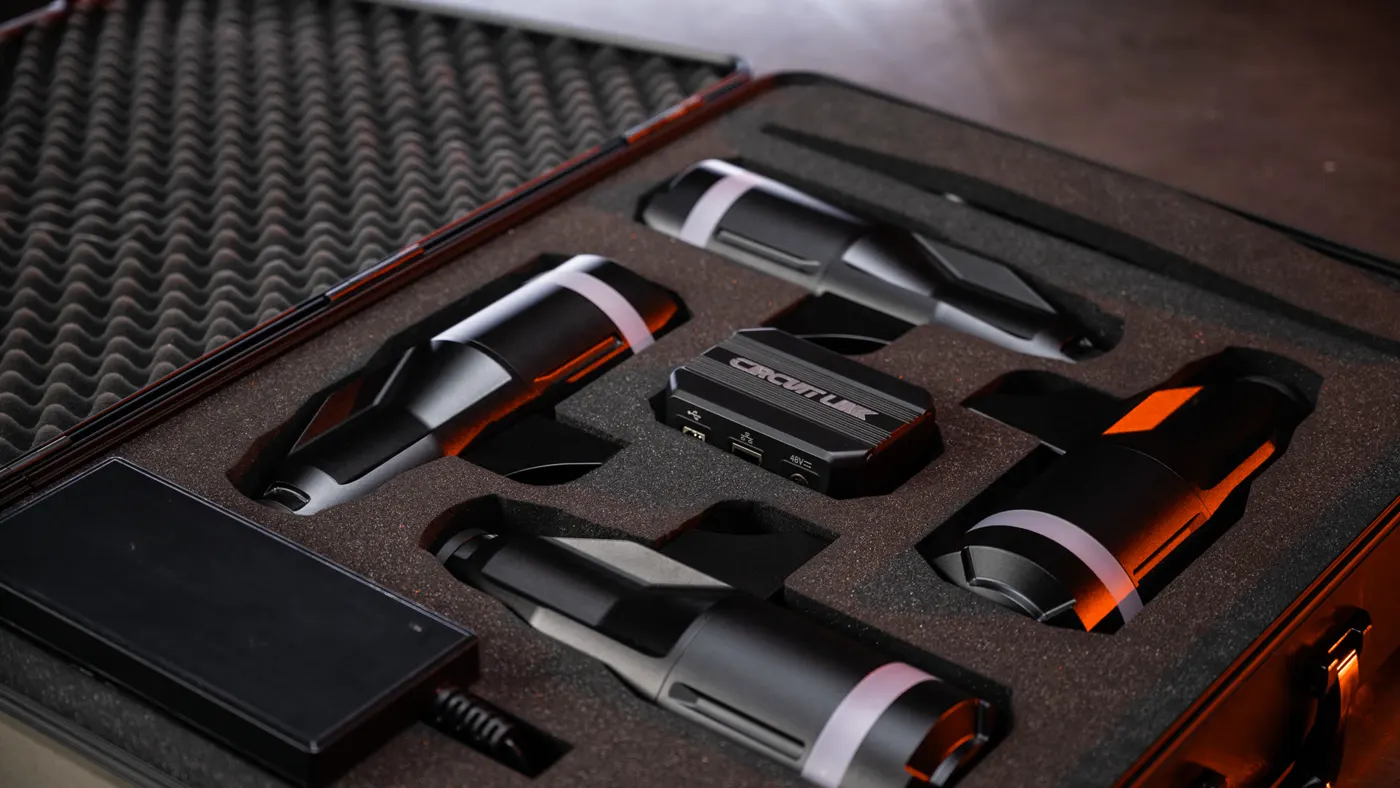
It arrived in a case, packed in foam. Four actuators, the LINK control box, cables and power, all in the one place. There was no chance of anything being damaged in shipping. The install was two bolts per corner, so eight bolts and eight T-nuts to get all four feet on the rig. You're not building a rig on a rig. One cable from each leg runs back to the box, the box plugs into the wall and your PC, and that's it.
My one bit of feedback would be a handful of sticky cable clips in the box. Whatever Circuit One do or don't do there, get yourself a few. There's a fair bit of cable running around the rig, and it's worth taking the time to route it properly so nothing rattles.
The software
Download Circuit Manager from their site. It is in beta, and Circuit One are a new company taking feedback from a lot of people, myself included. Spoiler: it's fairly well-rounded already. Calibration is simple. Each actuator flashes its light, you tell the software which corner it is, measure the length and width of the rig, and you're done.
From there you have gain for pitch, roll and heave, plus effects for rumble strips, ABS vibration, traction loss, engine vibration and gear shifts. An overall intensity slider sits on top, and a smoothing slider that works really well. Low is sharp and fast, high keeps all the information but takes a bit of sandpaper to it. If you're being tossed around too much you can drop the roll and keep the pitch for braking, acceleration and shifts.
Driving with it
Accelerate and it pitches back. Brake and it pitches forward. Turn and it rolls. On the modest settings I landed on, it just makes sense. I can feel the track, and I can feel a lot more than I could before. The bit that surprised me most is how it conveys a car going light. Come down a hill on the brakes, turns two and three at Rudskogen say, and you feel that lightness and uncertainty right underneath you. Over a crest you feel the car land.
There are haptics built into each actuator too, so clip a kerb with the front right and you feel it in the front right. The lights on the front two flash red when I lock up or the ABS kicks in. Little things, but they add up. I cranked everything to maximum with smoothing off for the video, and it's very much alive. I wouldn't race like that, but it shows what the thing is capable of.
The verdict so far
What makes it work for me is the response time. The rig responds to what the car is doing in real time. Turn in and the rig moves. Don't turn in, but the car steps out, and the rig moves anyway, so you can answer it in the steering. It's a two-way conversation, very much like a wheelbase. You can't input into the actuators, but you receive information you didn't prompt.
I always thought if someone threw a motion system on my rig I'd want it off within a week. I'm finding it very hard to turn it off, which is peculiar for me. It's like what people say about a buttkicker: take it away and the rig feels dead. And on my one real complaint, being slowed down, there has been no sign of it so far. I'm keeping it on, racing with it, and treating it as a tool rather than an exotic piece of hardware. I'll be back with the longer story once it has properly gelled into the setup.
I'm not a motion connoisseur and this is one man's opinion after a few days. If you're seriously looking at one, watch a few other people's videos as well and form the full picture before you pull the trigger.
The specs
The published sheet.
The figures as Circuit One publish them, nothing measured by me. The whole point of the design is short, fast travel with plenty of lift, so those two numbers are the ones to look at first.
Travel
50 mm
Per axis, tightly controlled
Lift
180 kg
Per axis, four axes
Response
150 mm/s
Top speed of each actuator
Frequency
0 to 100 Hz
Haptic detail built in
Size
257 mm
End to end, 3.55 kg per axis
Install
8 screws
Standard 8020 profile
- Four actuators, one per corner, giving pitch, roll and heave
- Haptics and telemetry-driven RGB lighting built into each actuator
- One cable per axis, no polarity, back to the compact LINK control box
- Circuit Manager software on Windows: presets, per-axis tuning, lighting, OTA firmware updates
- In the box: four actuators, LINK box, power supply, cables, screw kit, base cup mounts
- 12-month warranty from Circuit One
- Full sheet on circuitone.com.
The code
5% off the D Force 1,
in three steps.
JackzerDF1 is a product code for the D Force 1 only. For everything else at Simshop, SIMAGIC included, the usual JACKZER code takes 3% off. The details are on the Simshop code page.
- 1
Open the D Force 1 at Simshop through the button on this page. The link tags the order to the channel.
- 2
Add it to the cart and enter JackzerDF1 in the discount code box at checkout, typed exactly as shown.
- 3
Check the total dropped by 5% before you pay. If it hasn't, message me on Discord and I'll look into it.
Purchasing items through the affiliate links here will provide commission to the channel at no extra cost to you, which keeps the videos coming to the community! Many thanks - Jack
Join our Irish Pub Community Discord with over 3.8K members.
The Irish Pub would love to have you, we have league races on Thursdays and the craic is mighty. Can't wait to see you there.