JACKZER

A JACKZER Guide

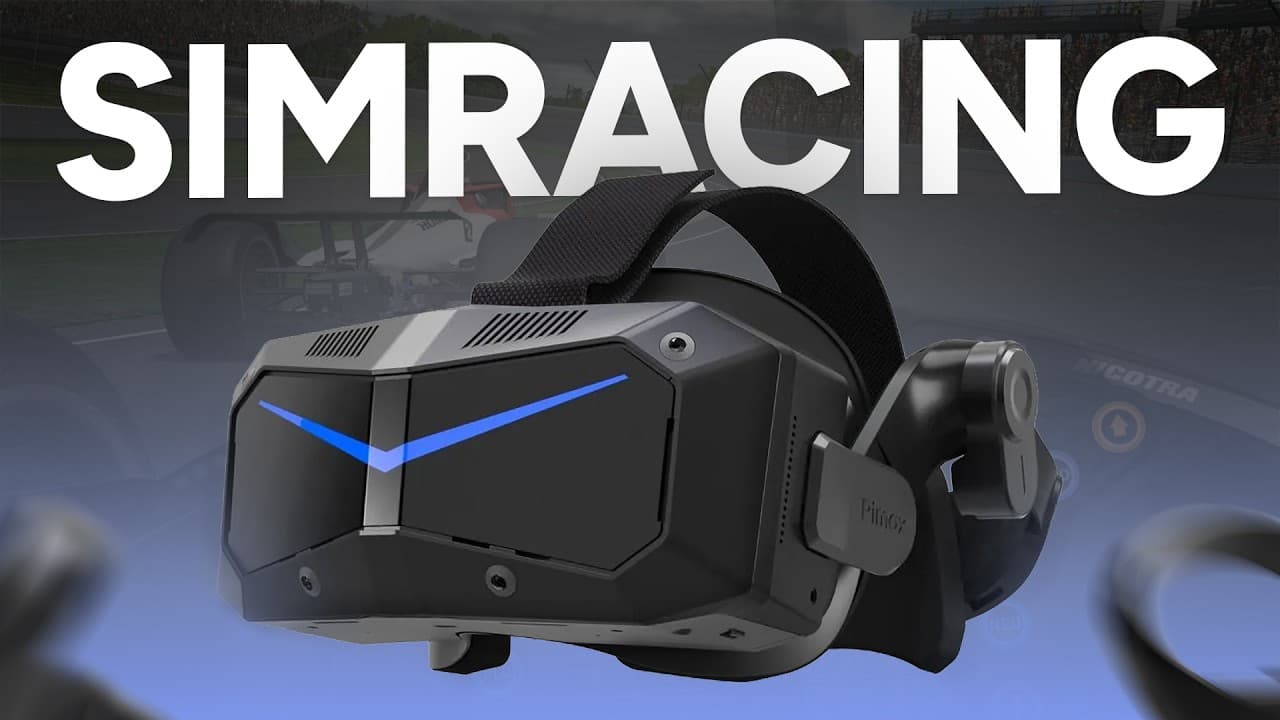
Pimax Crystal Super Ultrawide.
A triple-screen racer tries VR.

I race on triple screens. I've tried VR a handful of times over the years and it never fully clicked. Pimax lent me the Crystal Super with the Ultrawide engine, the widest field of view you can buy in consumer VR, to see if that would change. This is what I found, written for simracers.

9 min readHardwareTested in iRacing

Start here

Could the right headset change my mind?

Every headset I'd tried before this one felt like tech you fight to use. Clunky, heavy, a setup that turned into a project, and a cable that always seemed to be in the wrong place. I'd put one on, be impressed for twenty minutes, and quietly go back to the triples.

Then there's the job. When I race, I'm usually streaming. That means cameras, two PCs, a recording running and a live chat I like to keep an eye on. VR covers your face. All of that disappears. So my bar for a headset is higher than most people's, and I think that's worth saying up front.

The Crystal Super with the Ultrawide engine is the strongest case Pimax can make. The widest field of view in consumer VR, a resolution most GPUs can't keep up with, eye tracking built in. If this one couldn't convert a stubborn flat-screen racer, it's fair to say nothing currently on sale would.

So that was the experiment. Best-in-class VR against thousands of hours of triple-screen habit.

Where I started

Past headsetsTech you fight to use
WeightFelt it inside the hour
SetupA project every time
StreamingFace covered, chat gone
TriplesThousands of hours of habit
Verdict so farImpressed, never converted

Out of the box

From the box to the grid, without the usual fight.

The packaging is pristine, and sitting on top is a signed QC sheet listing every check done on this exact unit before it shipped. I don't know why more hardware doesn't come with that. In the box: the headset, the controllers, charging cables, regional power adapters, and the combined DisplayPort and USB cable that runs to the PC.

The headset looks heavier than it is when you lift it. A top strap sets the height and a twist dial at the back takes up the tension, so getting it seated is quick. One small gripe: the power lead from the adapter to the headset is short. If your socket isn't next to the rig, you'll want an extension.

Setup was the Pimax software, a firmware update, and a few choices. The update locked my PC up twice before completing cleanly on the third go. I genuinely don't know if that was the headset or my machine, so take it as a note rather than a mark against it. After that, iRacing was one setting change and it worked first time.

The PC it ran on

GPUNVIDIA RTX 5080
CPUAMD Ryzen 9 9950X3D
RAM64 GB
ResultLocked 90 fps in iRacing

Setup, in the order I did it

  1. 1

    Pimax software

    Install it, sign in, let it find the headset. The firmware update runs from here.

  2. 2

    Refresh rate

    I set 90 Hz and left it there. The card held it, so there was no reason to chase 120.

  3. 3

    IPD

    Measured with a free phone app and typed in. Takes a minute and it matters more than any graphics slider.

  4. 4

    iRacing to OpenXR

    Top right of the iRacing UI, switch the VR mode to OpenXR. Then launch a session. It worked first time.

  5. 5

    Bind recenter

    Put it on a wheel button. You'll use it at the start of every session and after every stretch.

  6. 6

    Eye tracking

    On in iRacing, off in the Pimax software. That combination is what gave me the clean, locked frame rate.

Practical

I braced for the VR horror stories, reprojection, stutter, dropped frames. I got a locked 90 fps with no drama. Set the refresh rate you can actually hold and leave it alone.

On track

The word that kept coming back was natural.

First proper test was a Porsche Cup race at the Nordschleife. No AI warm-up, no practice server, straight into a grid. Probably not the sensible way to do it, but it told me what I needed to know inside a lap.

Looking into apexes, judging the distance to the car ahead, placing the car on the kerb, all of it just happened. The resolution is clear enough that your brain stops thinking about the screen. There's no pixel structure to look through, so you stop looking at the display and start looking at the track.

The field of view is the headline, and it earns it. This is real peripheral vision. Checking mirrors, feeling where a car is alongside, knowing where the edge of the track is without turning your head. It feels almost made for simracing. You're inside the car, not looking at one.

The finding I didn't expect: VR feels slightly slower than triples, and in a good way. You're more present, so the chaos of a first lap feels calmer. The same speed, less panic.

Horizontal field of view

Pimax published figures

Dream Air SE105°
Dream Air110°
Crystal Super Micro-OLED116°
Crystal Super Ultrawide140°

Thirty degrees wider than the Dream Air I usually reach for. In the car, that's the difference between a car alongside being a mirror check and simply being there in the corner of your eye.

The adjustment

The bit that's a me thing.

On my flat-screen setup I lean on overlays. A blind-spot indicator, a wide virtual mirror, relative timing. None of that exists in the headset, and it showed. For the first couple of races I was hesitant defending a position and slow to commit to a move, because I'd lost the tools I use to know where everyone is.

That's thousands of hours of habit in a different format, not a fault in the headset. Experienced VR racers clearly build the awareness back, because friends of mine have slammed the door on me in VR with no hesitation at all. If you're coming from an overlay-heavy flat screen, expect a short relearning period and don't judge yourself on race one.

Left behind

What I lost from the triples

The blind-spot indicator I check without thinking.

The wide virtual mirror stretched across the top screen.

Overlays for relatives, fuel and lap delta at a glance.

Seeing my stream chat and cameras while racing.

Picked up

What I gained in the headset

Real peripheral vision. Cars alongside are just there.

Depth. Braking points and gaps read as distances, not guesses.

A calmer first lap, because I'm in the car rather than watching it.

Cockpit proportions that are actually true to the real thing.

The verdict

It does exactly what it promises. Then there's my face.

Over the whole loan the headset never let me down once. The cockpit detail stays sharp up close and out at the far end of a straight, with no pixelation anywhere I looked. The lenses are the clearest I've had in VR simracing, on signage, on apex markers, on the dash in front of me.

They never fogged. Not once, with no fan and no faffing. Anyone who's raced in an older headset will know what a quality-of-life win that is. The cables, the cooling and the adjustability all feel like they were designed by people who use the thing. There are optional memory foam pads and proper speakers if you want to go further.

Sharp up close and at distance, no pixelation
Best lens clarity I've had in VR simracing
Never fogged, no fan needed
Locked 90 fps, no reprojection
Cables, cooling and adjustment all sorted
Worked first time in iRacing over OpenXR

Comfort is where it becomes personal. Weight ended up being the limiting factor for me on long sessions. It isn't heavy as such, but it's a front-weighted design, so the pressure lands on either your forehead or your cheekbones depending on how you tension the strap. I found the sweet spot between the two. For a race, it's great. For a league night or an all-day stream, I'd feel it.

That's me, not the headset. Plenty of simracers run it for hours on end and love it. I'm telling you where my limit was so you can judge where yours might be.

Strap tension, where the weight lands

LooseSweet spotTight
LooseThe front drops and the weight sits on your cheekbones.
Sweet spotBalanced between the two. Comfortable for a full race.
TightPulled back hard and it all lands on your forehead.

It's a front-weighted design rather than a heavy one. Memory foam pads are an optional extra if the stock face gasket doesn't suit you.

If weight matters more than width

There are smaller options. The Pimax Dream Air is ski-goggle small, under 170 grams, and it suits my priorities, long sessions and streaming, a little better. That doesn't make it the better headset. The Ultrawide still wins outright on field of view. It's a better fit for me, and the full story is on the Pimax VR page.

Before you buy

Try it on before you buy it.

I can't think of a better headset for simracing right now with that kind of field of view. I'd still highly recommend trying it before you buy it, at any venue you can. An expo, a sim centre, a mate's rig, anywhere you can get it on your head for a few laps.

VR is personal in a way a monitor isn't. How the weight sits, how your eyes get on with the lenses, whether the immersion clicks for you or not. Ten minutes in the headset will tell you more than any review, this one included.

Quick answers

Is the Pimax Crystal Super Ultrawide good for simracing?

Yes. I can't think of a better headset for simracing right now with that kind of field of view. The 140 degree horizontal view gives you real peripheral vision, the resolution is sharp enough that you stop thinking about the screen, and it ran a locked 90 fps in iRacing on my PC. The one trade-off for me was weight on longer sessions.

What PC do you need for the Crystal Super Ultrawide?

I tested on an RTX 5080, a Ryzen 9 9950X3D and 64 GB of RAM, and it held 90 fps in iRacing with no drama. It's rendering 3840 by 3840 per eye, so this is a headset for a current high-end GPU. Eye tracking on in iRacing and off in the Pimax software was the setting that gave me the clean frame rate.

Does the JACKZER code work on the Crystal Super Ultrawide?

Yes. JACKZER, in capitals, takes 2% off every Pimax headset at store.pimax.com, the Crystal Super with the Ultrawide engine included. Enter it in the discount box at checkout and check the total dropped before you pay.

Crystal Super Ultrawide or Dream Air?

Ultrawide if field of view is your priority. Nothing else goes as wide, and that width is what makes it feel made for simracing. Dream Air if weight and a small form factor matter more to you, which is where I land, because I stream long sessions and I feel a front-heavy headset. Neither is the better headset. They're better fits for different people.

Does it work with iRacing straight away?

It did for me. Install the Pimax software, run the firmware update, set your IPD, then switch iRacing to OpenXR in the top right of the UI and launch. Bind a recenter button and you're racing.

Where it fits

Roughly the same place, but closer.

New tracksLearn the layout before the flat-screen laps
Pure immersionWhen the race is for the fun of it
F1 proportionsThe only place a real cockpit fits
Mondello prepElevation, sight lines, spatial awareness

VR is an acquired taste. Red wine, Marmite, pick your comparison. I think I'm a few years early. My honest guess is that VR properly gets there in five to ten years, when headsets are smaller, lighter, cooler on the face and genuinely plug-and-play. That isn't a knock on Pimax. Pushing the field of view wider and the resolution sharper is exactly the direction VR needs to go, and they're the ones doing it.

Where I'll actually use it: learning new tracks, pure immersion when I want to race for the fun of it, and sitting in an F1 car with true proportions, which is the only place you can do that. The one I'm most looking forward to is prep for my real-world Formula Vee racing at Mondello. The elevation, the layout, the sight lines. That's where VR does something no screen can. There's more on how I got that seat in the RTA scholarship story.

So I ended up roughly where I started, but closer, and with a lot more respect for where VR is going. It's a stunning piece of kit that does everything it promises. I'm just not quite the right person for VR yet.

If you didn't get on with VR at first and later converted, I'd genuinely like to hear how. Tell me in the Discord or under the video.

A note on the code

2% off any Pimax headset with JACKZER.

Pimax aren't a channel partner. I have an affiliate code with them, and they've kindly offered a discount code for the community. JACKZER takes 2% off every headset at store.pimax.com, the Crystal Super Ultrawide included. Not a huge number, but on a headset at this price it's real money. Capitals matter at checkout.

The full how-to, the questions people ask and the rest of the Pimax lineup are on the Pimax discount code page. Every other code I have, SIMAGIC, Sim-Lab and the rest, is on the discount codes page.

Tap to copy

Three steps

  1. 1

    Open the store through a button on this page. The link tags the order to the channel.

  2. 2

    Add the Crystal Super, with the Ultrawide engine, to the cart.

  3. 3

    Enter JACKZER, in capitals, in the discount box and check the total dropped by 2% before you pay.

JACKZER · 2% offBuy at store.pimax.com

Purchasing items through the affiliate links here will provide commission to the channel at no extra cost to you, which keeps the videos coming to the community! Many thanks - Jack

Before you go

  • The headset was on loan from Pimax and goes back after testing.
  • This isn't a paid piece. Pimax had no say in the video or in this article.
  • Any store links here are affiliate links. Code JACKZER takes 2% off, and a small commission comes back to the channel at no cost to you.
  • I'm not a VR reviewer. I'm a simracer who has tried VR a few times and never quite got on with it. Read everything above with that in mind.

The full picture on affiliate links and channel partners is on the disclosure page.

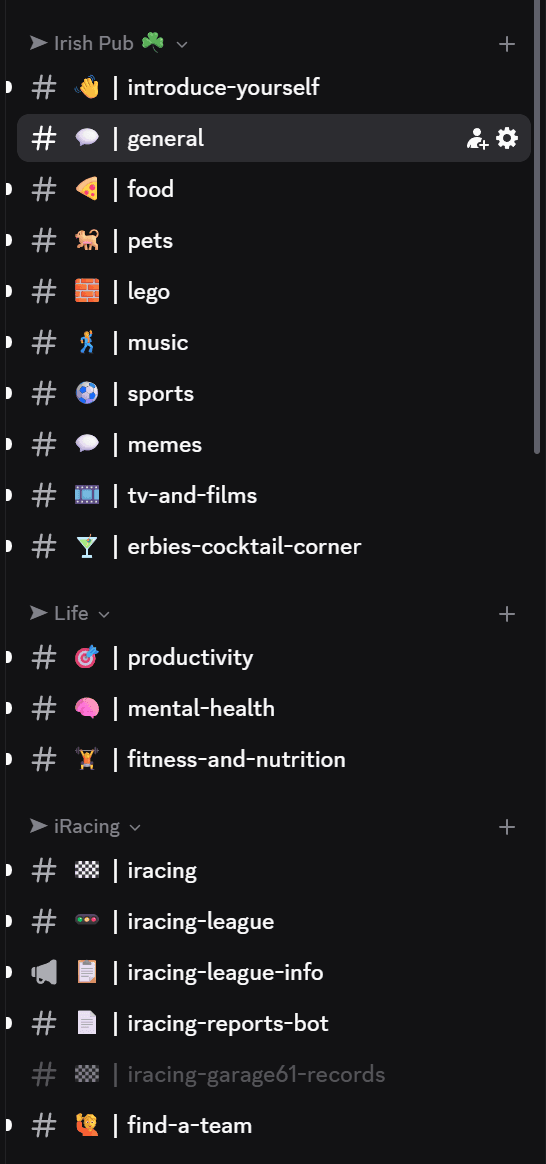
Join our Irish Pub Community Discord with over 3.8K members.

The Irish Pub would love to have you, we have league races on Thursdays and the craic is mighty. Can't wait to see you there.

A peek at the JACKZER Discord channel list
JACKZER showing the SIMAGIC Zeus to a young racer

Channel partners